Account Deletion
We respect your right to control your personal data. If you wish to delete your WallClaimer account, you have two options available to you.
Option 1: Delete Account via the App (Recommended)
The easiest and fastest way to delete your account is directly through the WallClaimer application:
- Open the WallClaimer app on your device
- Go to the Settings page
- Scroll down to find the DELETE ACCOUNT button
- Tap the button and confirm your decision
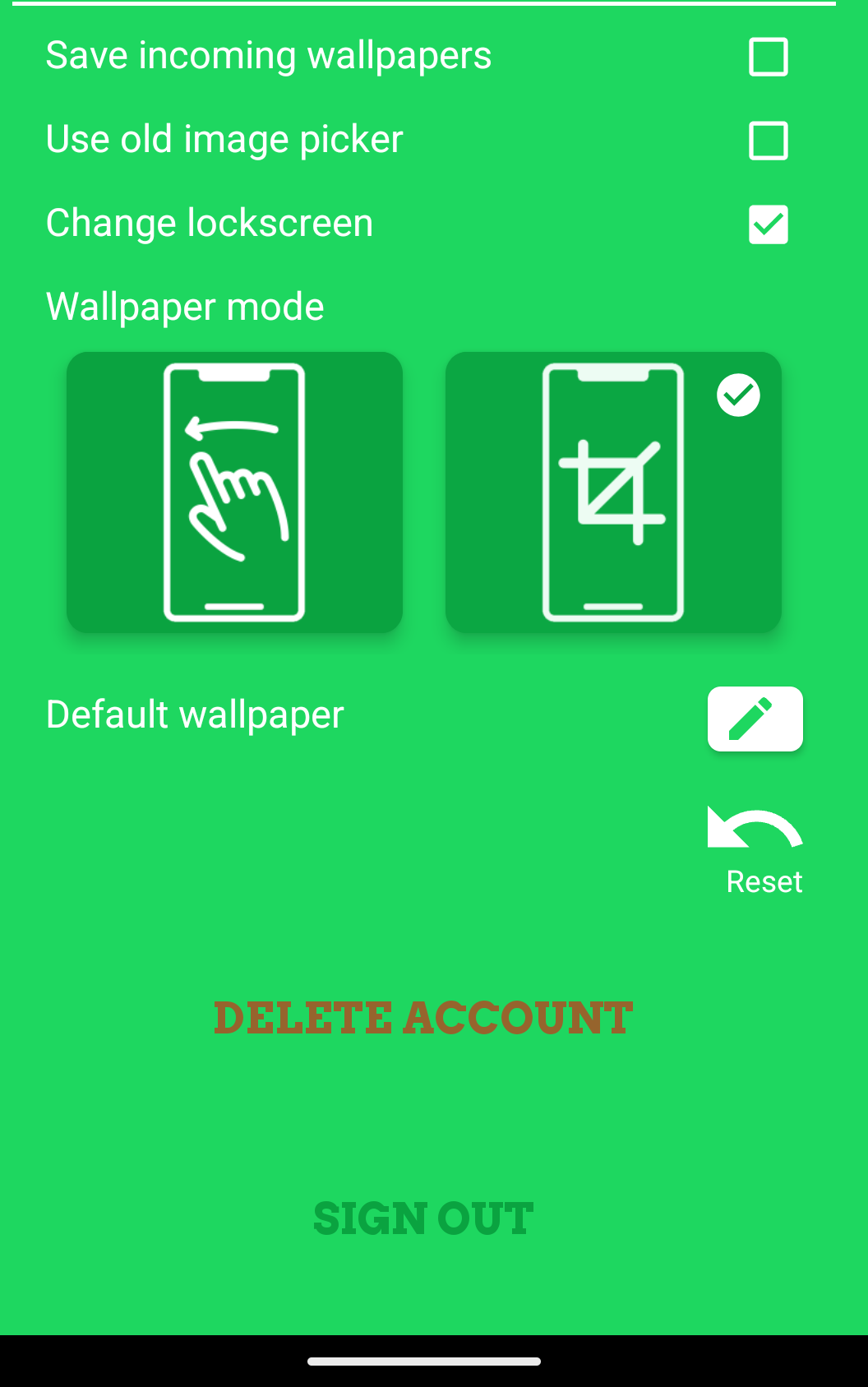
The DELETE ACCOUNT button in the Settings page
Your account and all associated data will be deleted immediately.
Option 2: Request Deletion via Email
If you are unable to access the app or prefer to request deletion via email:
- Send an email to wallclaimerapp@gmail.com
- Use the subject line: "Account Deletion Request"
- Include your request to delete your account in the email body
Important: The email must be sent from the email address that is linked to your WallClaimer account. This is required to verify your identity and protect your account from unauthorized deletion requests.
We will process your request and delete your account within 30 days of receiving your email.
Please note: Account deletion is permanent and cannot be undone. Make sure to save any wallpapers you wish to keep before deleting your account.
Contact Us
If you have any questions about the account deletion process, please contact us at wallclaimerapp@gmail.com.